
Registration Overview
Registration is how families sign up for your camp. You build a form with the fields you need, set a registration window, share the link with parents, and they fill it out online. Campflow handles the rest — collecting family information, camper details, documents, payments, and consent — all in one submission.
How Registration Works
Section titled “How Registration Works”At a high level, the flow looks like this:
- You configure your form — choose which fields to show, set deposit requirements, add any documents or disclosures you need, and write intro text for parents.
- You share the link — send parents your registration URL by email, broadcast, or any channel you prefer.
- Parents fill it out — they enter their family info, add their campers, upload documents, make a payment, and submit.
- You see the results — new families and campers appear on your Families and Campers pages, payments show up in Income, and uploaded documents are attached to the family record.
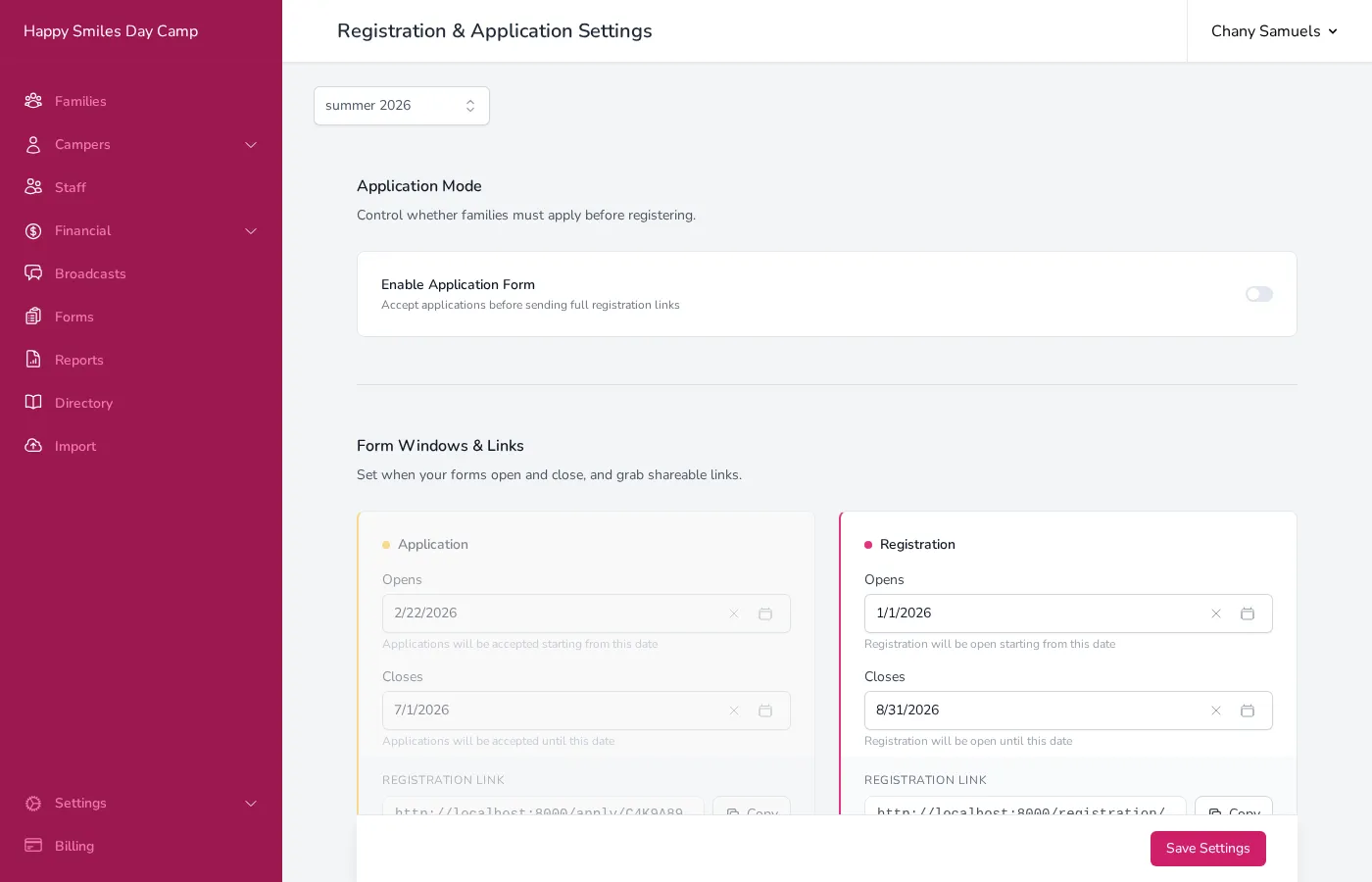
Everything is managed from the Registration & Application Settings page. Go to Settings in the sidebar and click Registration.
Registration vs. Applications
Section titled “Registration vs. Applications”Campflow supports two modes:
- Registration only (the default) — parents fill out the full form and are registered immediately.
- Application + Registration — parents first submit a shorter application. You review it, set their approval status, and approved families then receive a link to complete the full registration.
Application mode is useful if your camp has limited spots and you want to screen families before they pay. You can configure which fields appear on the application versus the full registration, set separate deposit amounts for each, and send automated emails when you change a family’s status.
To learn more about the application workflow, see Applications.
What You Can Configure
Section titled “What You Can Configure”The registration settings page is organized into sections:
- Setting Up Registration — set when registration opens and closes, write intro text, and get your shareable link
- Registration Fields — choose which fields appear and which are required
- Documents & Disclosures — require document uploads and consent checkboxes
- Deposit & Payment Settings — set deposit amounts, payment method saving, and payment plans
- Sharing Your Registration Link — how to get your link to parents
- Notifications — control who gets notified when registrations come in
Returning Families
Section titled “Returning Families”When a family who registered in a previous season visits your registration link, Campflow recognizes them and pre-fills their information. They can review and update their details, add or remove campers, and submit for the new season without starting from scratch.
Saving Progress
Section titled “Saving Progress”Parents don’t have to finish the form in one sitting. The form automatically saves their progress in the browser, and there’s a Save for later button at the top of the form. When they return, a banner offers to restore their draft. Uploaded photos and documents will need to be re-uploaded, but all text fields are preserved.
Families Without Internet
Section titled “Families Without Internet”Not every family has internet access, and some camps prefer not to use online registration at all. Campflow supports a fully offline workflow:
- Send a paper form — when sharing your registration link by email, turn on Attach PDF to include a printable registration form. Parents can fill it out on paper and return it to you by mail, fax, or in person.
- Enter the data yourself — add the family manually from the admin side. You get the same organized record as if the parent had registered online — family details, camper information, documents, and payments all in one place.
The admin backend gives you everything you need to manage families, campers, financials, communication, and reporting — online registration is one way to get the data in, not a requirement.