
Processing Fees
When families pay by credit card or ACH, the payment processor charges a fee for handling the transaction. Campflow charges your camp a fixed processing rate based on your plan. You then decide how much of that fee — if any — to pass on to parents.
What Campflow Charges Your Camp
Section titled “What Campflow Charges Your Camp”Your processing rates are determined by your Campflow plan:
| Method | Lite Plan | Standard Plan |
|---|---|---|
| Credit Card | 3.5% + $0.30 | 3% + $0.30 |
| ACH (Bank Account) | 0.80% | 0.50% |
| Check | No fee | No fee |
| Cash | No fee | No fee |
| Zelle / Venmo | No fee | No fee |
These rates are fixed. Check, cash, and Zelle/Venmo are recorded manually and do not go through a payment processor, so there is no processing fee.
What You Pass On to Parents
Section titled “What You Pass On to Parents”You control how much of the processing fee parents see on their end. You can pass on the full fee, a partial amount, or nothing at all.
- Full pass-through — Set the parent-facing fee to match your plan rate. The parent covers the entire processing cost and your camp receives the full payment amount.
- Partial pass-through — Set a lower fee than your plan rate. The parent pays part of the processing cost and your camp absorbs the difference.
- No pass-through — Set fees to zero. The parent pays only the base amount and your camp absorbs the full processing cost.
How the Pass-Through Calculation Works
Section titled “How the Pass-Through Calculation Works”When you pass fees on to parents, Campflow works backwards from the amount your camp needs to receive.
For example, if a family owes $1,000 and you pass on the full Standard plan credit card rate (3% + $0.30):
- Campflow calculates: ($1,000 + $0.30) / (1 - 0.03) = $1,031.24
- The family is charged $1,031.24 total
- The processor takes their fee: ($1,031.24 x 3%) + $0.30 = $31.24
- Your camp receives exactly $1,000.00
This ensures your camp always receives the intended payment amount when fees are fully passed through.
Configuring the Parent-Facing Fee
Section titled “Configuring the Parent-Facing Fee”To set how much of the processing fee parents pay:
- Go to the Settings page from the sidebar.
- Open the Payment Methods section.
- Click on the payment method you want to configure (for example, Credit Card).
- Set the Fee percentage and Fee fixed amount to the amount you want parents to pay.
- Click Save.
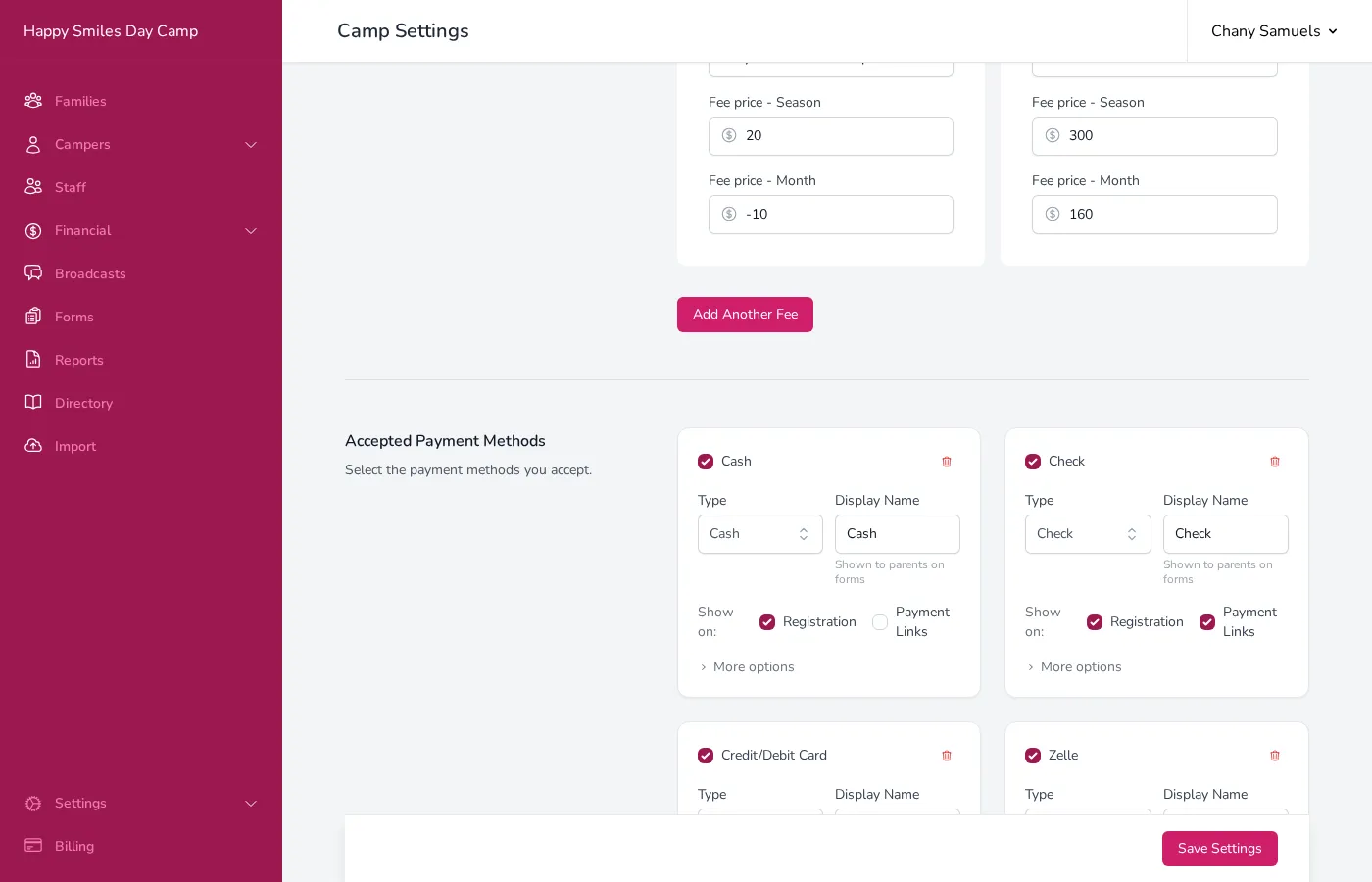
Each payment method has its own fee settings. For example, you might pass on the full credit card fee but only part of the ACH fee.
What the Family Sees
Section titled “What the Family Sees”When a family is making a payment and selects a method that has a parent-facing fee, they see:
- The base payment amount
- The processing fee (shown as a separate line)
- The total amount that will be charged
This preview appears before they submit, so there are no surprises.
Fees and Refunds
Section titled “Fees and Refunds”When you refund a payment that included processing fees, you can choose how to handle the fee:
- Effective refund — Refund only the base amount (what the family owed). The processing fee is not returned. This is the most common choice.
- Full refund — Refund the entire charged amount, including the processing fee. The family gets back everything they paid.
There is also an option to deduct a $0.30 refund processing fee from the refund amount. This covers the cost the processor charges for the refund transaction itself.
Good to Know
Section titled “Good to Know”- The rates Campflow charges your camp are fixed based on your plan. What you configure in settings is the parent-facing fee only.
- If you set the parent-facing fee higher than your plan rate, the difference reduces the net processing cost to your camp. If you set it lower, your camp absorbs the gap.
- Fees only apply to payment methods that go through a processor (credit cards, ACH). Check, cash, and Zelle do not have processing fees.
- The pass-through calculation ensures your camp receives the exact amount owed, regardless of the fee structure.
- Fee settings apply to all payments going forward — changing fees does not affect payments that were already processed.