
Settings Overview
The Settings area is where you configure everything about how your camp works in Campflow — from your camp’s name and contact info to pricing, payment methods, user accounts, and your subscription.
Where to Find Settings
Section titled “Where to Find Settings”Click Settings at the bottom of the sidebar to expand the settings menu. You’ll see four sub-pages:
- General — Your camp’s profile, season dates, pricing, colonies, fees, payment methods, and failed payment notifications
- Registration — Registration form settings, custom fields, documents, and approval statuses
- Communication — SMS and voice call setup
- Users — Team member accounts and permissions
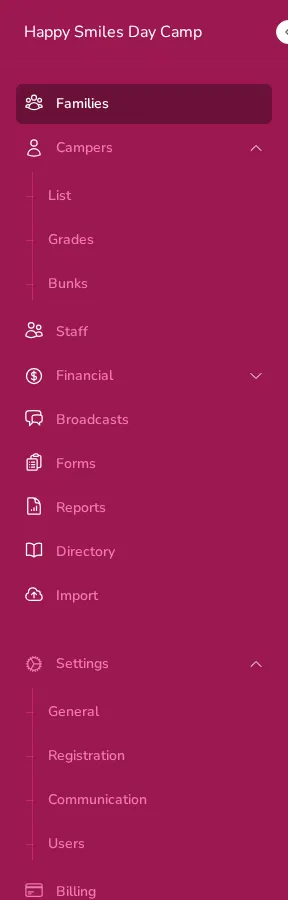
Billing appears as a separate item below Settings. That’s where you manage your Campflow subscription.
What You Can Configure
Section titled “What You Can Configure”General Settings
Section titled “General Settings”The Camp Profile & Branding page covers everything on the General settings page:
- Your personal information (name, email, phone)
- Camp name, contact details, addresses, and logo
- Season dates and default pricing
- Departments and grades
- Colonies and colony-specific pricing
- Fees (like t-shirt fees or lifeguard fees)
- Accepted payment methods
- Failed payment notifications
Users & Permissions
Section titled “Users & Permissions”- Managing Users — How to add, edit, and remove team members
- Roles & Permissions — What each permission controls and how to customize access
Billing
Section titled “Billing”- Your Subscription — How to manage your Campflow plan and billing
Who Can Access Settings
Section titled “Who Can Access Settings”Not everyone on your team needs access to settings. Campflow uses permissions to control who can see and change what. See Roles & Permissions for details on how this works.